
Sketches for your products
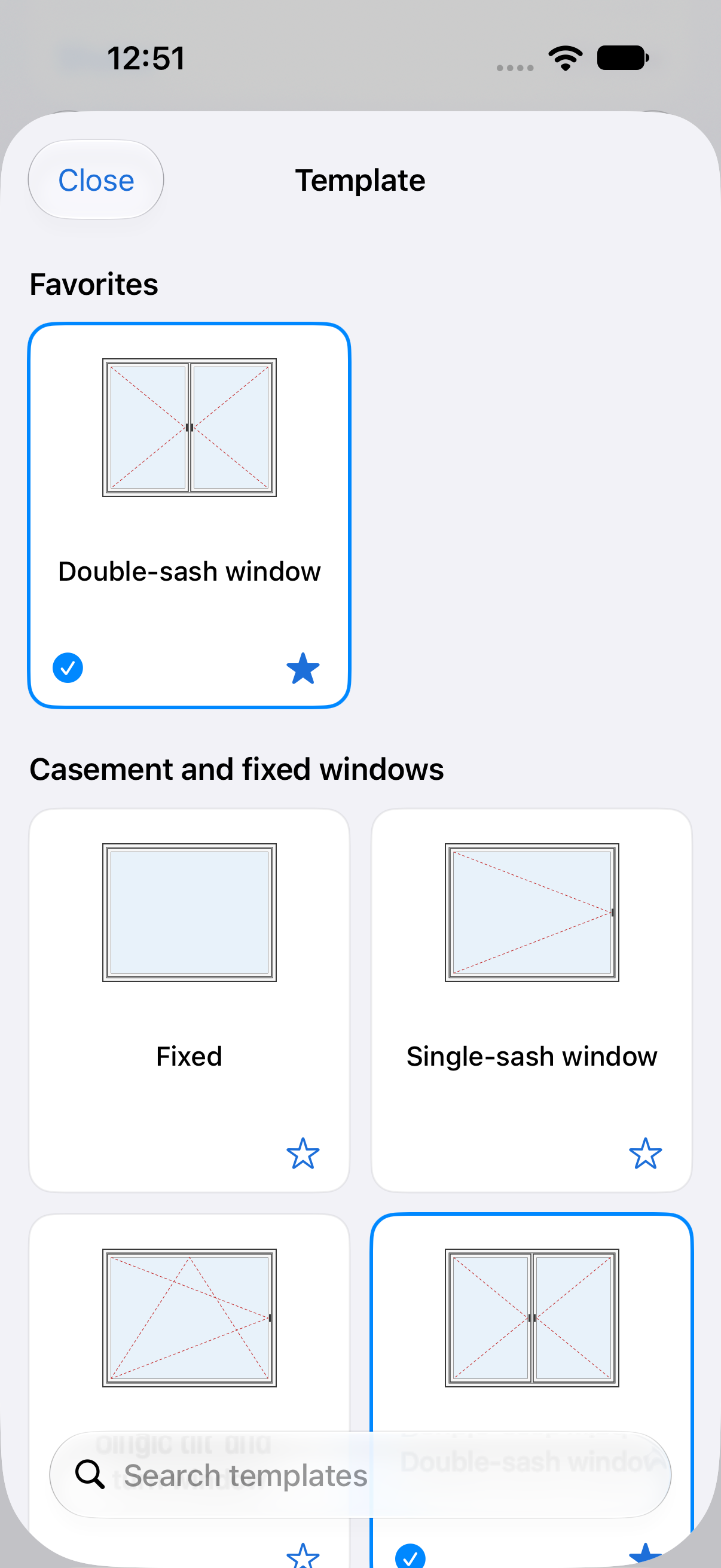
Windows, doors, shutters, gates and garage doors in an illustrated gallery with search and favorites. Casement, sliding, arched, sash and other common families; freehand sketching with a finger or Apple Pencil.
 Ava WDS
WINDOW & DOOR SURVEYS ON IPHONE AND IPAD
Dimensions, sketches, photos and revisions in one standalone Apple app. Survey on iPhone or iPad, even offline, then prepare a clear PDF for estimating.
Version 1.1 approved by Apple
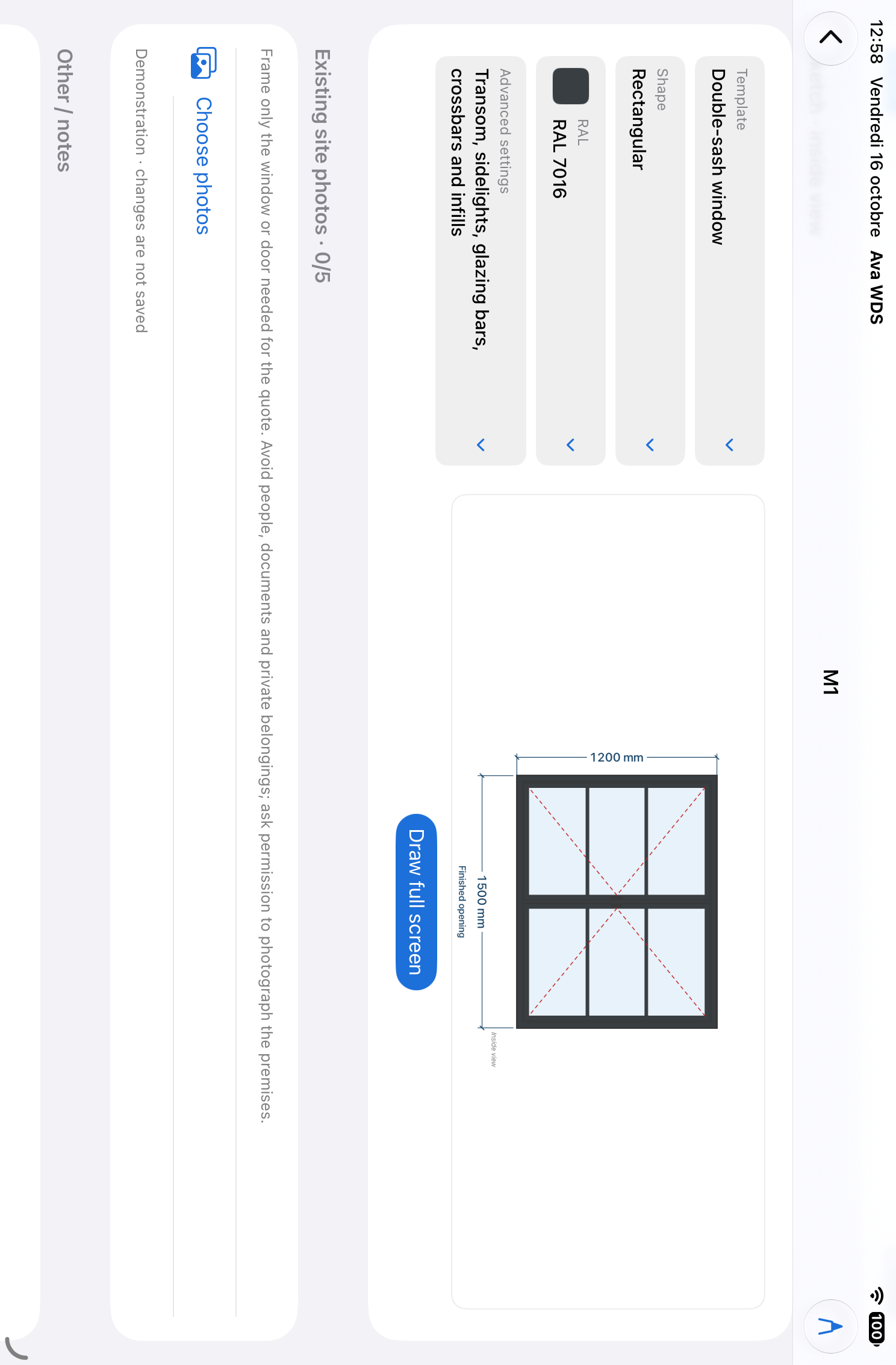
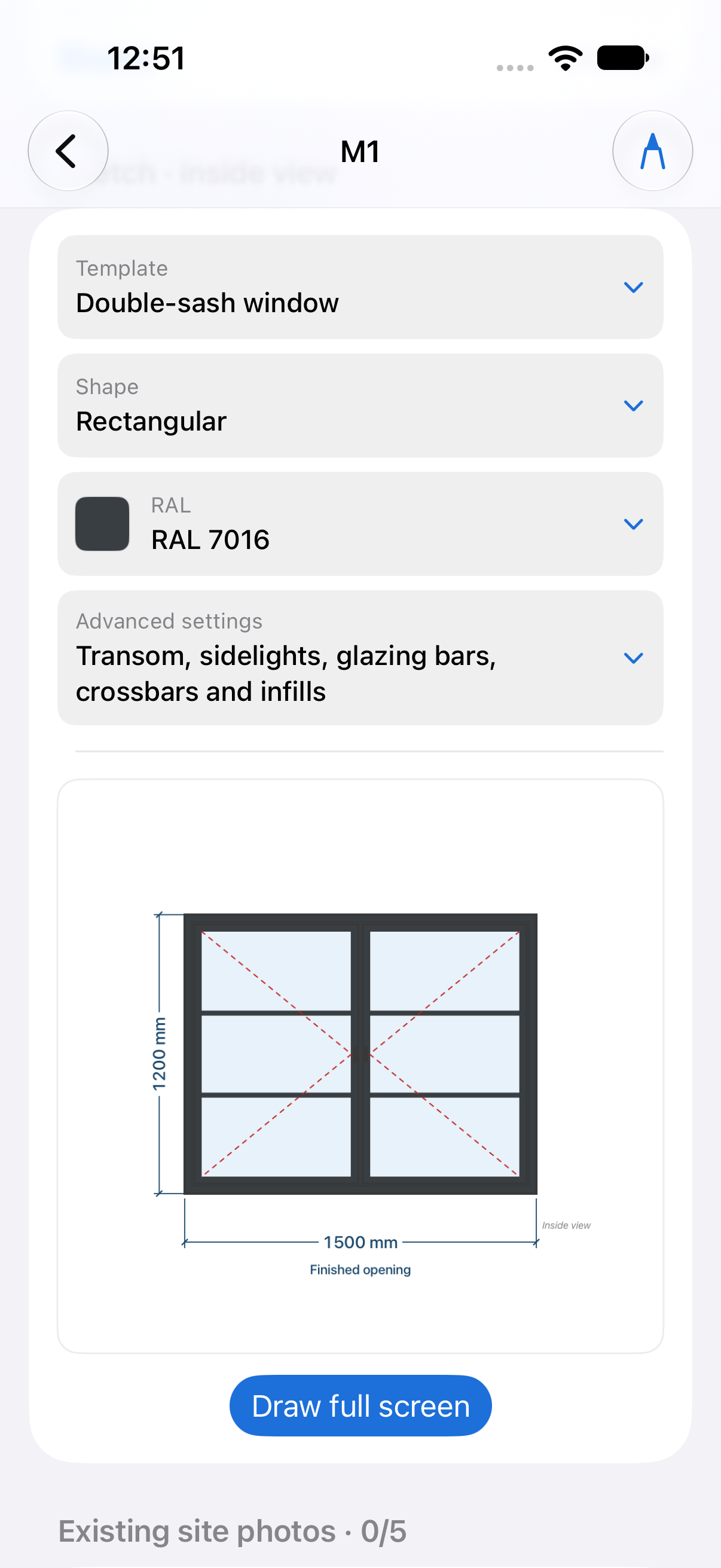
Keep surveys organized, from first dimensions to options discussed with the customer. Each item keeps its sketch, specifications and photos together.
Choose units, measurement conventions and shared preferences. Project defaults apply to each entry, with individual overrides when needed.
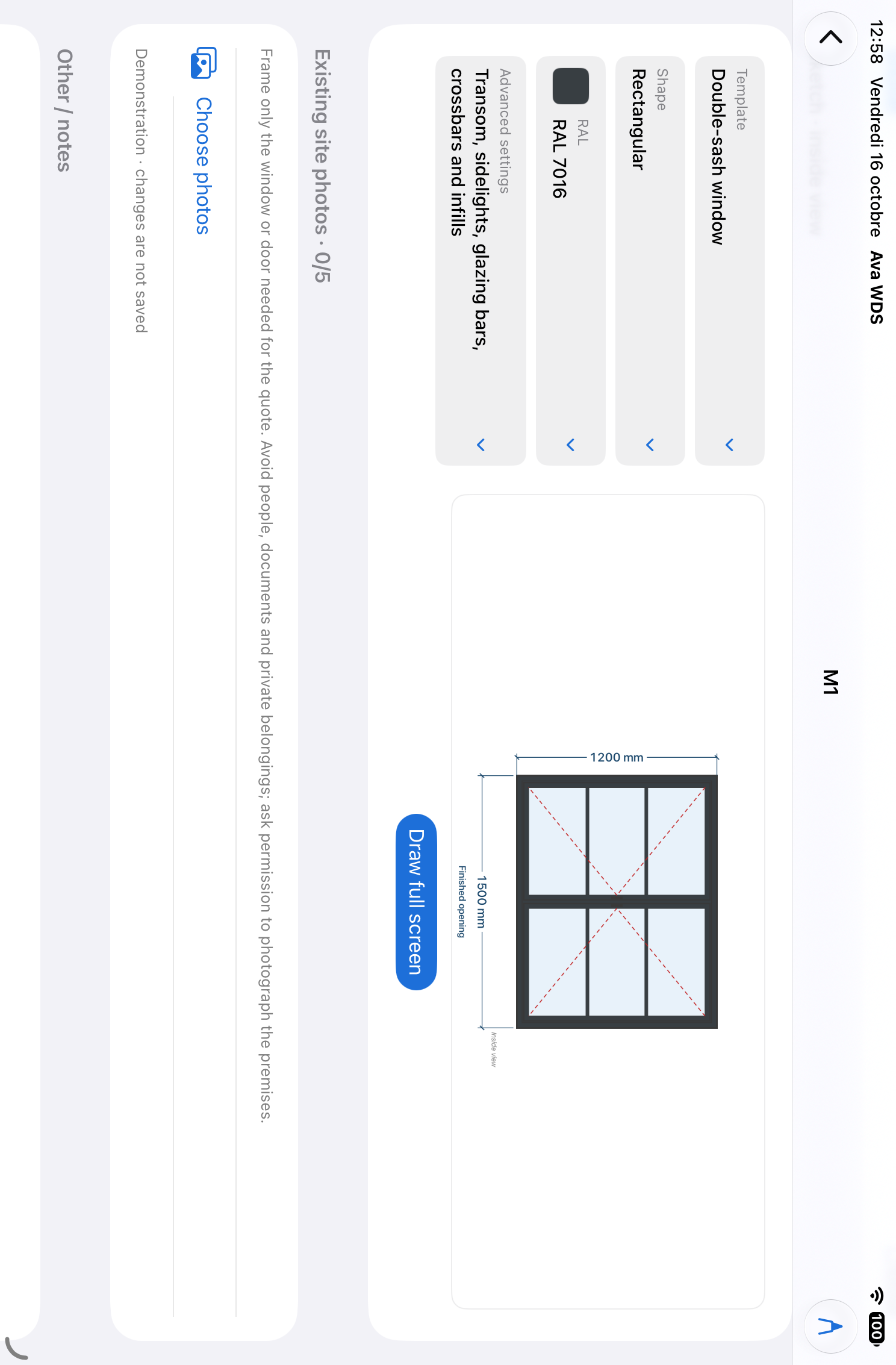
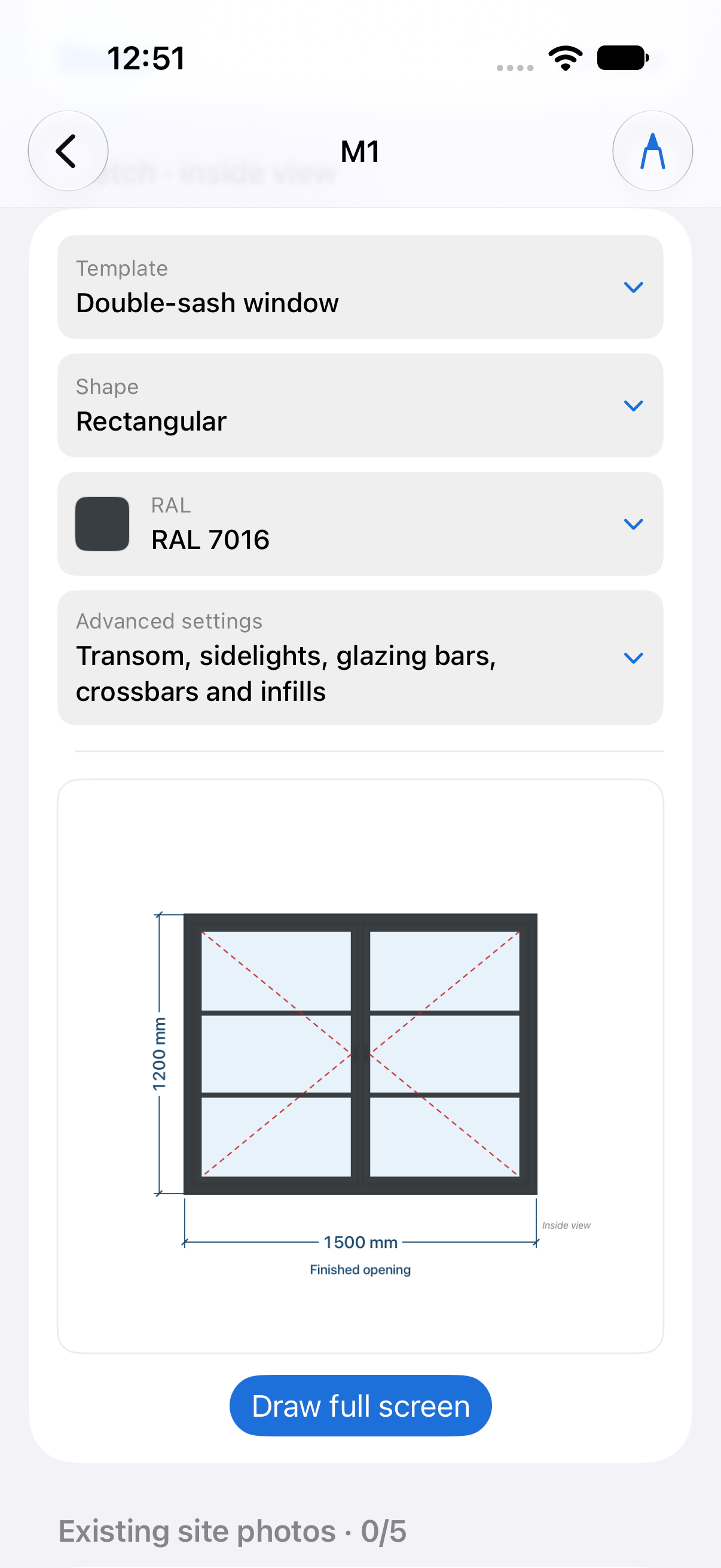
Start from an illustrated template. Add dimensions, opening direction, finish, glazing bars, infills and equipment. A photo or annotation clarifies the detail that matters.
Create a revision for an alternative. Reorder entries to match your site visit or quotation. Recover deleted projects and revisions from the trash.
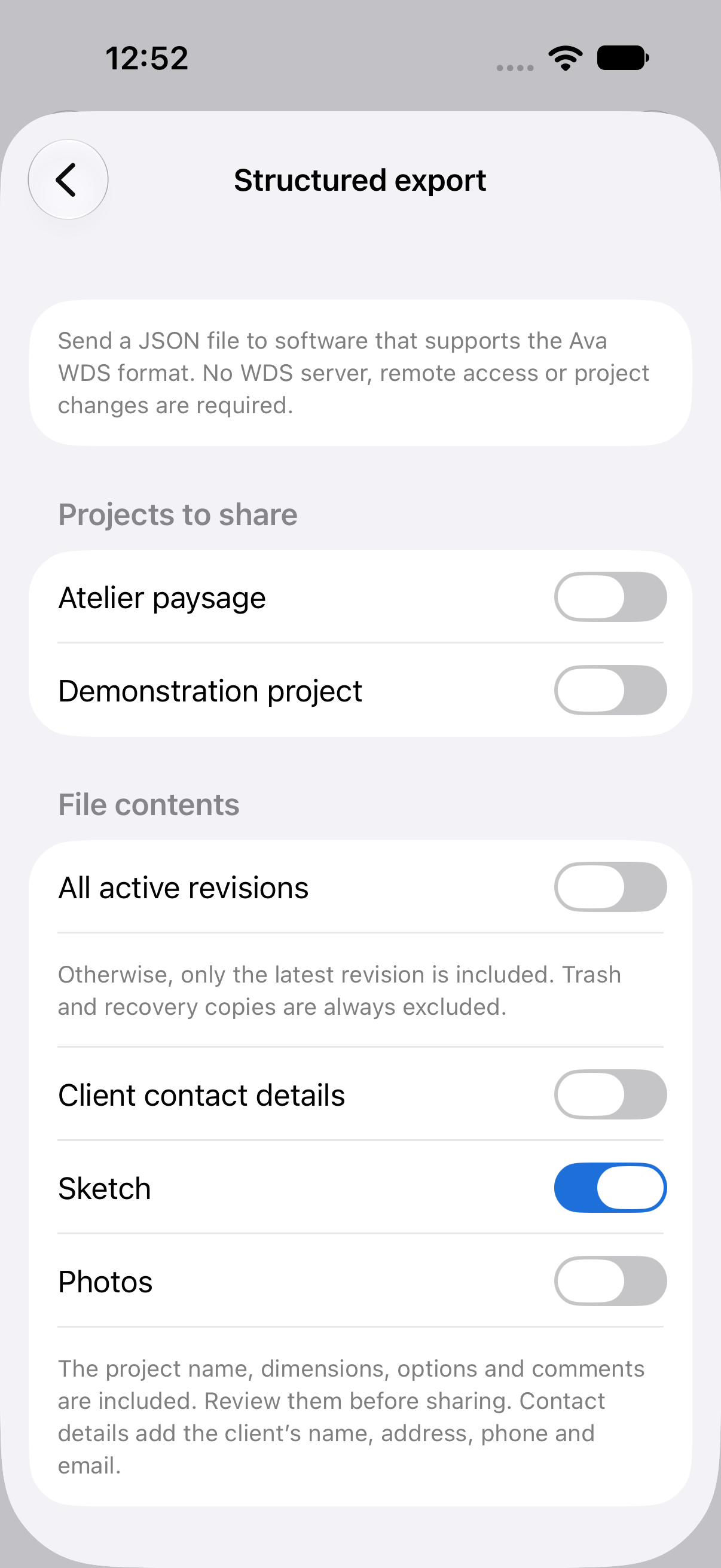
Check the PDF in portrait or landscape. For compatible software, select projects and data for JSON export. You choose the receiving app each time you share.
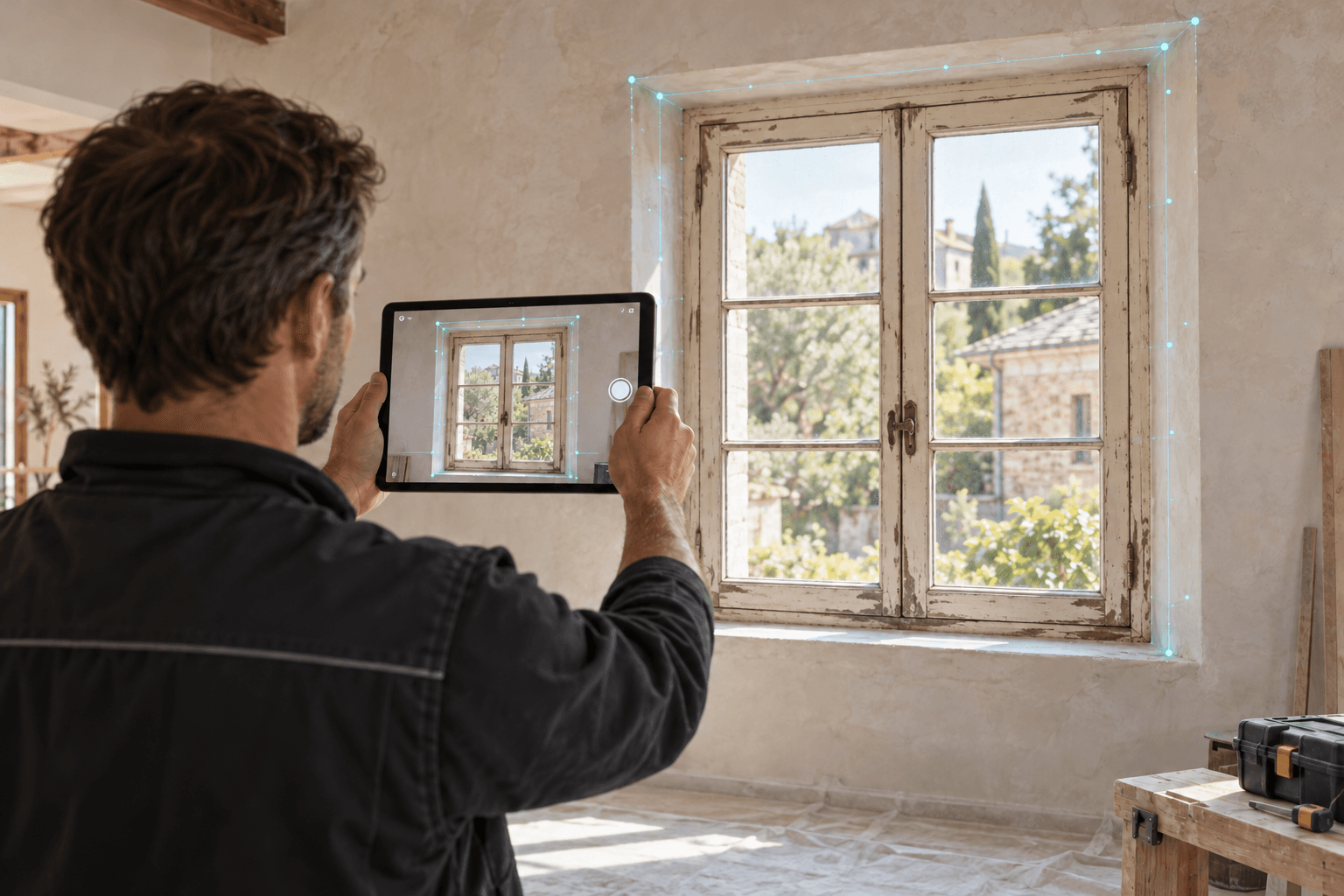
LiDAR
Open the full-screen camera, scan the existing window and select the detected opening. Review width and height, then optionally save a dimensioned photo to the survey. Compatible device and LiDAR required. Estimates are for initial costing; check dimensions before ordering or manufacturing.
Illustrative scenes; interface and results vary with the device and survey.Real app screenshots from iPad and iPhone simulators and an app-generated PDF, in the selected language. Demonstration data.
Explore the screenshots. Open an image to view it at full size.
Apple Pencil
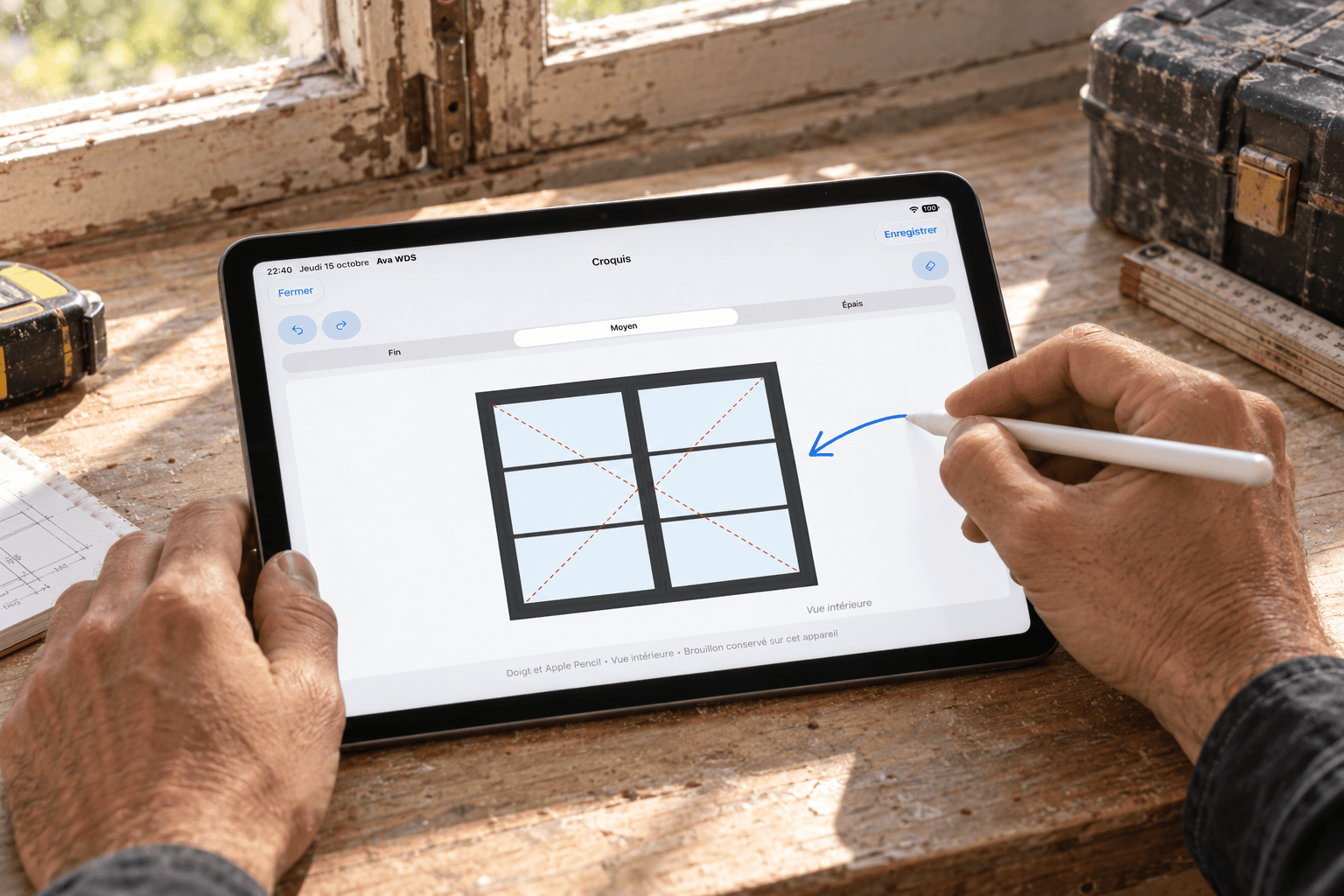
An unusual feature, installation detail or note: add to the template with your finger or Apple Pencil. Freehand drawing sits alongside dimensions and entry options to preserve the context of the survey. Your annotations are retained when you change the color or template.
Illustrative scenes; interface and results vary with the device and survey.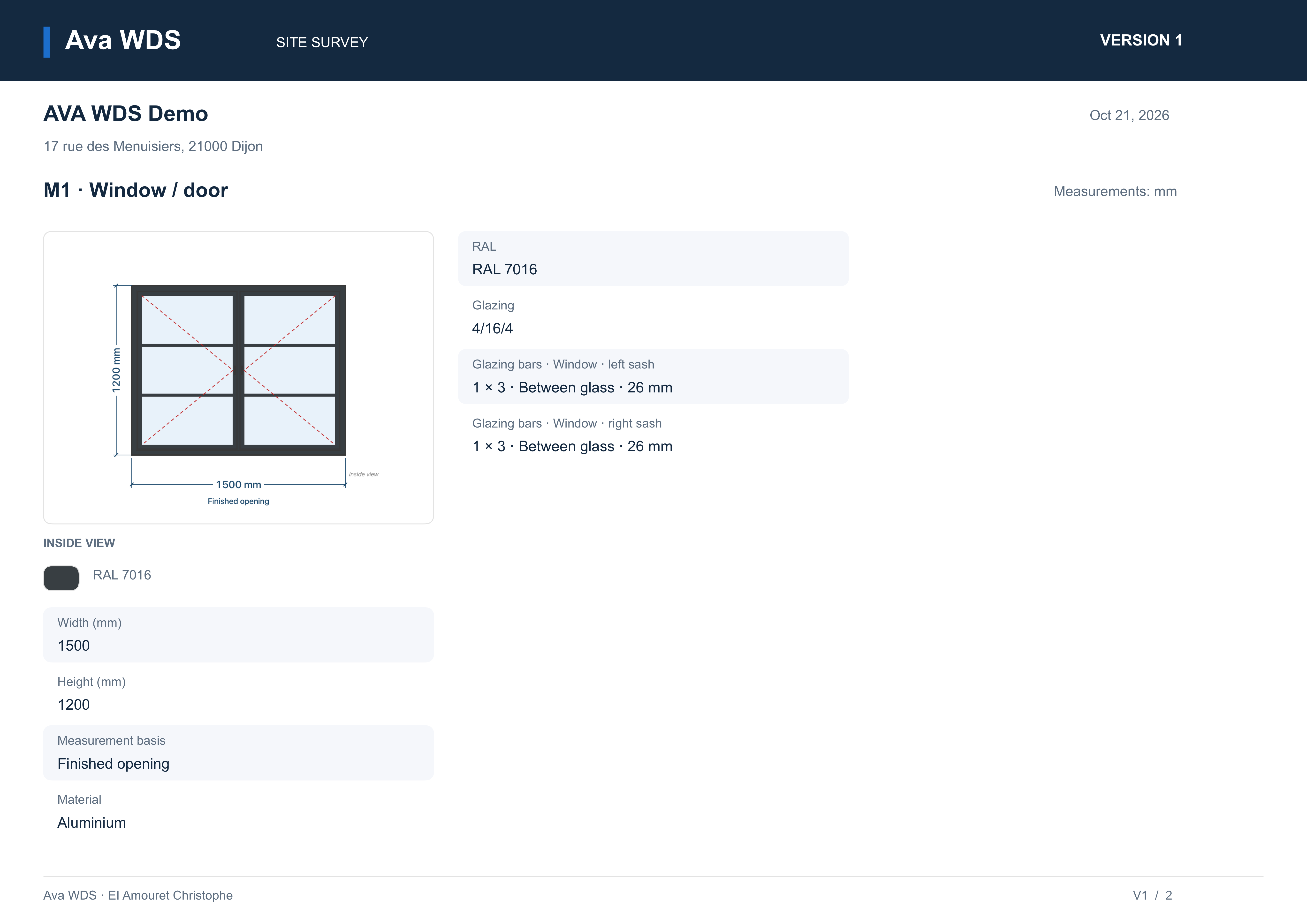
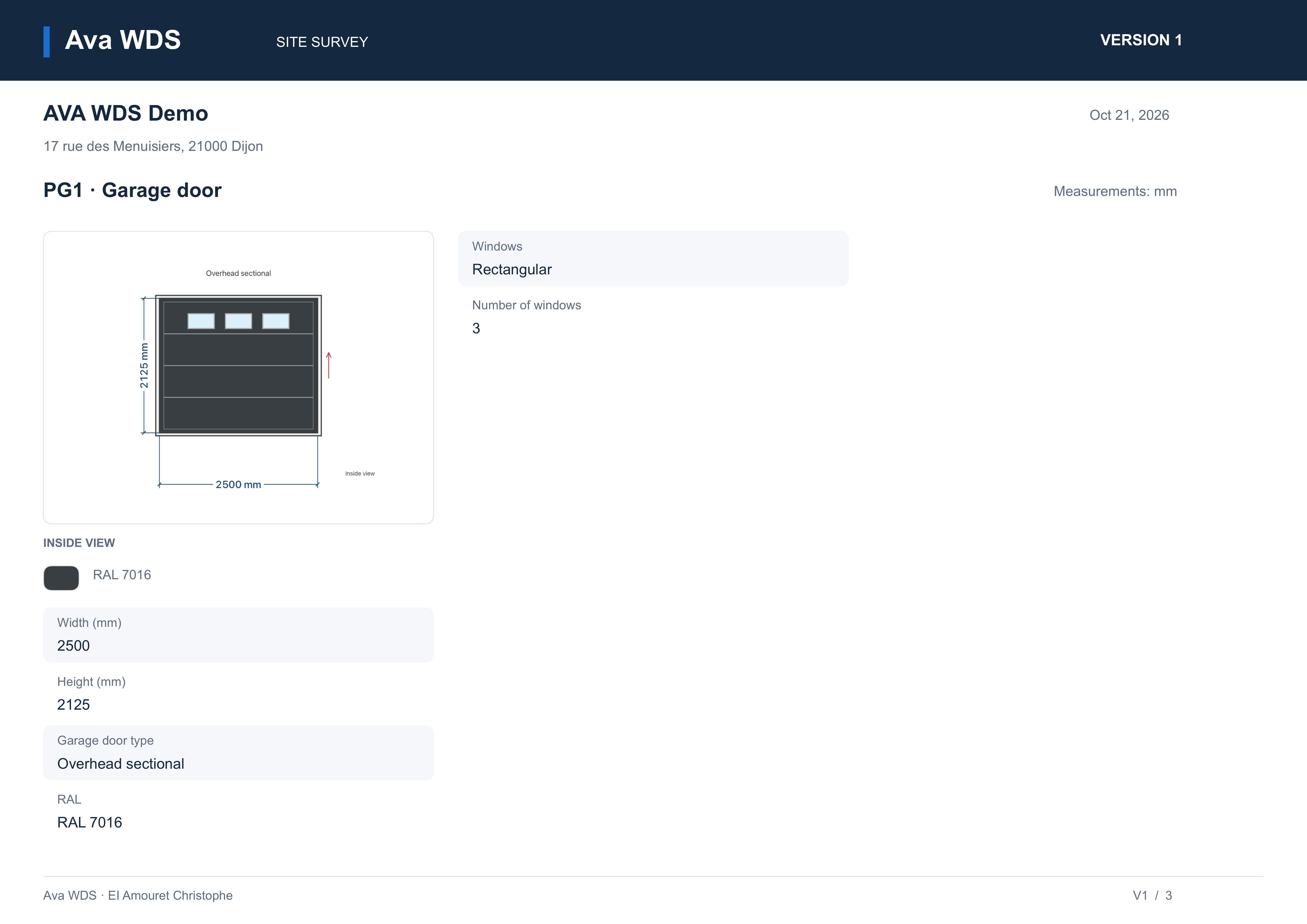
View an app-generated PDF in the selected language: project summary, then a new page per item, with continuation pages when needed. Fictitious data; window sheet preview.
Download the demo PDFAVA WDS
A survey tailored to each item, with the information needed for estimating and room for your specific requirements.
Windows, doors, shutters, gates and garage doors in an illustrated gallery with search and favorites. Casement, sliding, arched, sash and other common families; freehand sketching with a finger or Apple Pencil.
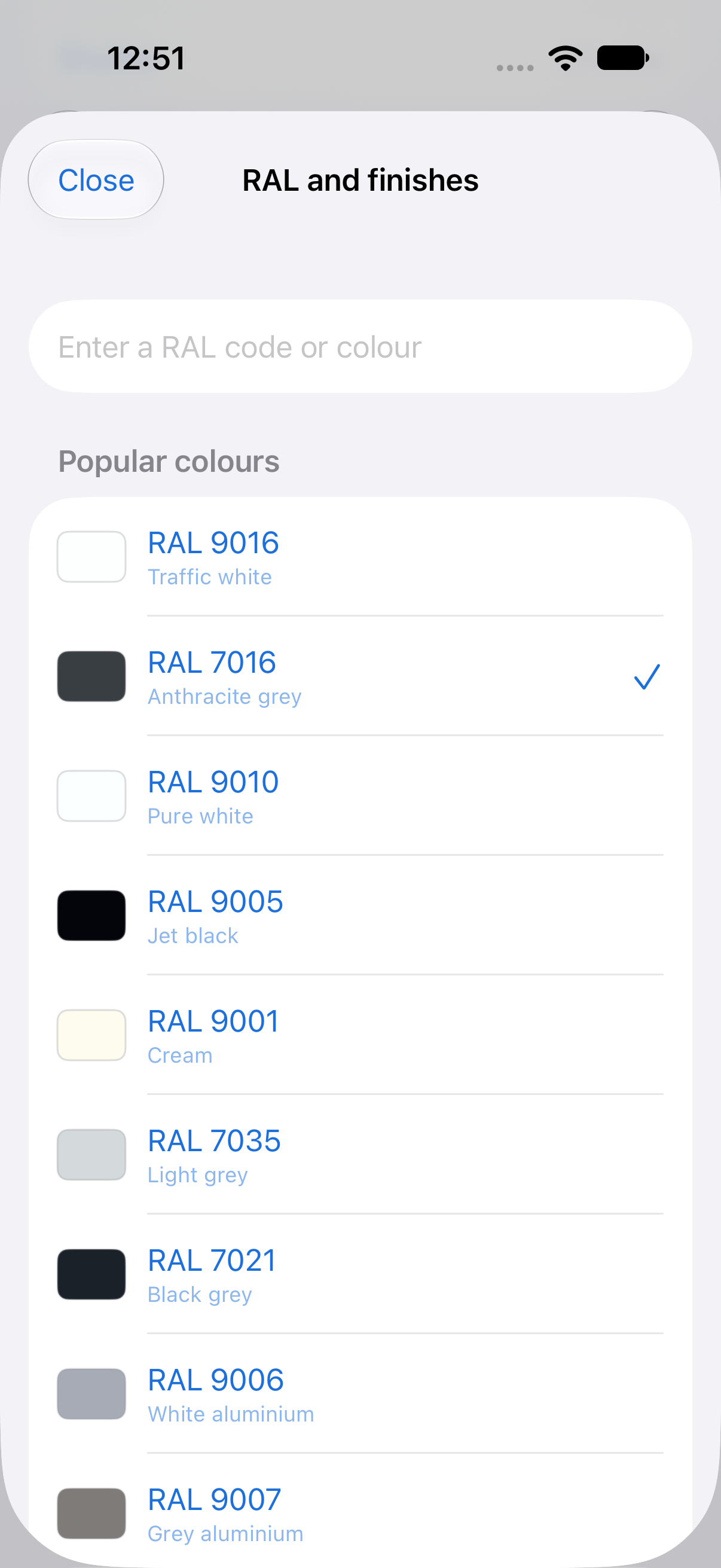
Search a RAL number, find common shades first and preview the choice on the sketch. Add wood effects and special finishes; screen colors are approximate.
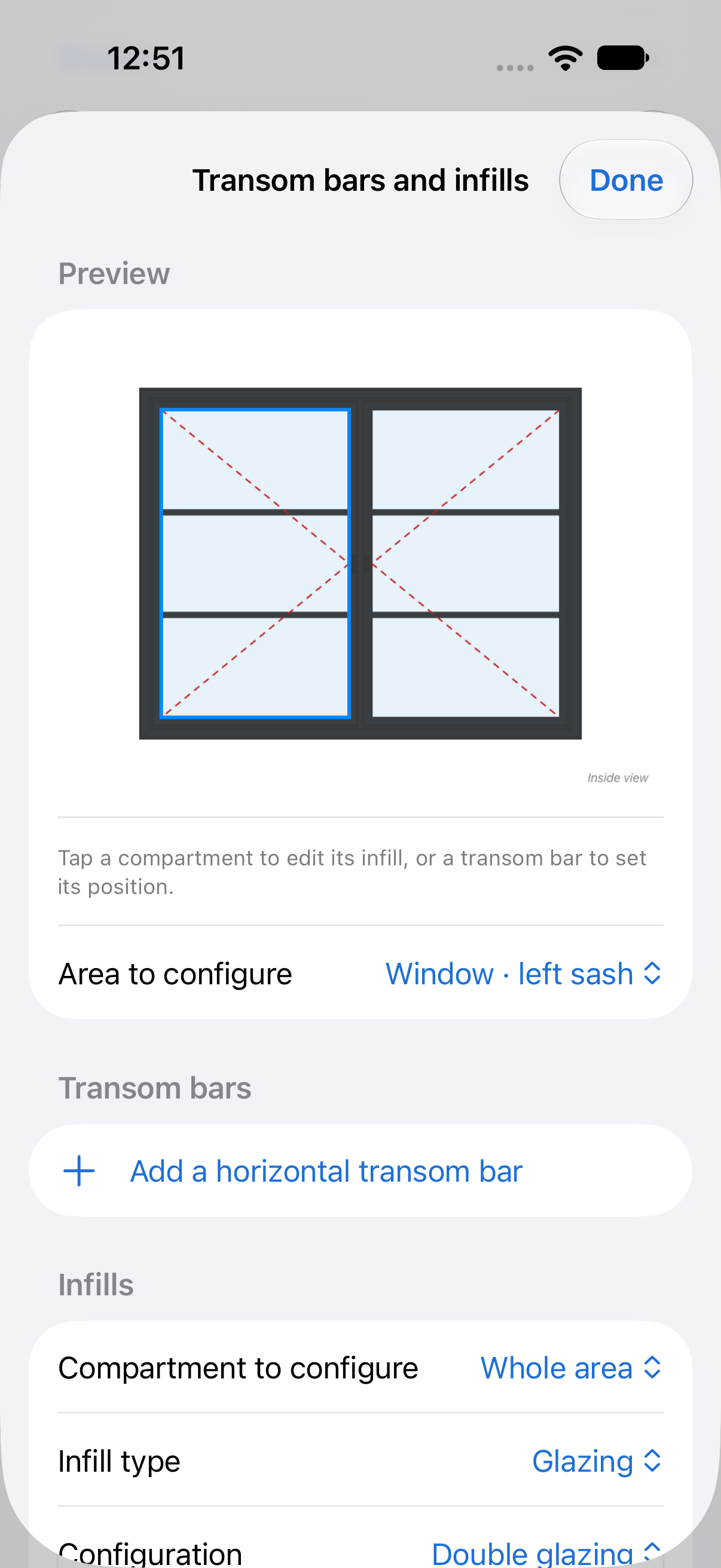
Independent glazing bars in sashes, transoms, bottom sections and sidelights. Adjust bar and transom height, then choose glass or panel per zone.
Metric or imperial units, DD / HT / TF measurement bases and market-specific fields. New build or renovation, installation details and free notes for local requirements.
Trims, frame extensions, handles and locks, insect screens, blinds, ventilation and shutters. Project defaults can be adjusted per entry, with existing-site photos.
Dictate surveys in all nine app languages, then review before applying. LiDAR detects openings and offers a dimensioned photo on compatible devices for initial estimating.
Duplicate a revision to keep alternatives, reorder forms and restore projects or revisions from the trash. Deleting items does not reset the discovery allowance.
Each item starts on a new page, with extra pages when needed. App-wide A4 or Letter and portrait or landscape settings. Documented JSON export to your chosen software, if it supports the format.
COMPOSITION AND INFILL PANELS
This glazed door shows how to combine a golden oak finish, a horizontal rail and two infill types in the same sketch. The PVC panel is at the bottom; the glazing and glazing bars occupy the upper section.
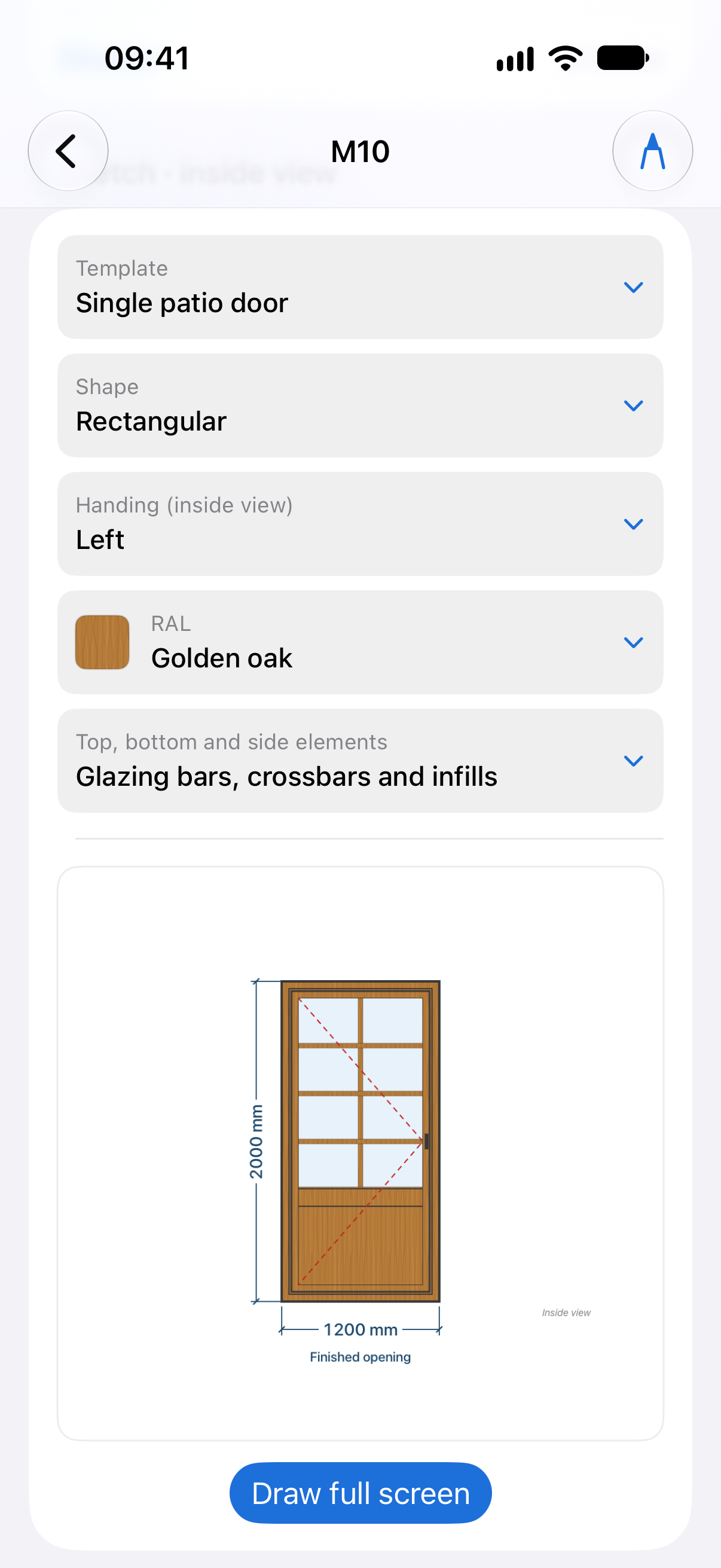
Actual app screenshot
Open the full-size exampleFixed lights, one- to three-sash casements, tilt-and-turn, outward-opening, hopper, awning, pivot, louvre, sliding, single- and double-hung, folding doors, patio doors and arches. A blank template lets you draw special cases.
Roller, hinged and sliding shutters; pedestrian, double-leaf and sliding gates. Garage doors have dedicated families and fields: installation dimensions, headroom, side clearances, windows, wicket door and motorization.
Full reinforcement, pre-drilled frames, security strikes, centered handles, semi-fixed hardware on symmetrical tilt-and-turn windows and warm-edge spacers. Add trims, frame extensions, locks, insect screens, blinds, ventilation and shutters in a consistent entry order.
Millimeters, centimeters, meters or feet and inches, with imperial fractions. DD back-of-frame, HT overall and TF finished opening; frame extensions count in HT. Europe, USA/Canada, South America, Asia and international profiles support your conventions without replacing manufacturer requirements. Country presets can be edited.
LOCAL STORAGE + ICLOUD
Create and edit on both devices. Projects and photos are saved locally, then synced when possible through the same personal iCloud account. No Ava Core account to create and no WDS server to connect.
Discovery and subscriptions
Visit the App Store page to install Ava WDS on iPhone or iPad. Discovery access and subscriptions are managed in the app. Apple confirms the price and terms before any purchase.
Explore the demo project’s examples without saving, then create one personal project and two revisions of that project (V1 to V3). Deleting a project or revision does not reset this allowance. Existing data remain readable, editable and exportable without a subscription.
View on the App StoreFull access for one month, renewing automatically.
The same full access for one year, billed as a single annual payment and renewed automatically.
Prices shown are for France. A monthly or annual subscription lets you create further projects or revisions. In other supported countries, Apple confirms the local price, currency and period in its purchase sheet before you confirm; manage or cancel renewal in your Apple account. Purchases use your Apple account, and sync uses your personal iCloud on compatible devices. No payments on this website.
No. Ava WDS is a standalone Apple app. Your Apple account handles purchases; your personal iCloud provides sync. No Ava Core account or WDS server is required.
Keep working locally. Sync resumes when possible. Before switching devices, close the entry and check iCloud status. Keep an independent backup of important surveys.
French, English, Spanish, German, Italian, Portuguese, Greek, Dutch and Polish: interface, manual, PDF and survey dictation. UK/US English and Portugal/Brazil Portuguese variants. Units and technical profiles are adjustable; local requirements still need checking.
No. It supports preliminary estimating on LiDAR-equipped devices. Distance, reflections and tracking affect results. Always confirm dimensions with a suitable instrument before ordering or manufacturing.
Share a PDF or select projects for structured JSON export. Choose the data and receiving app. No persistent remote access. The receiving software must read the format, and received copies cannot be recalled.
Manage or cancel your subscription in your Apple account. Cancellation stops renewal; refunds must be requested separately from Apple. Eligibility depends on country and circumstances, without reducing statutory rights.
Yes. The same user can create and edit projects on both iPhone and iPad. Synchronization uses their personal iCloud to make projects, revisions, sketches and photos available on both devices as soon as transfer is possible.
Yes, in all nine app languages and their regional variants. Dictate several fields and units in one phrase, review, analyse and confirm. Recognition runs on-device and requires the selected language to be available locally; otherwise use the keyboard. No audio is saved. Apple Intelligence is optional; this is not hands-free voice navigation.
The project's technical preferences apply to window and door entries that inherit them. You can adjust an entry individually without changing the others, then restore the shared preferences if needed. Inherited choices and individual exceptions remain identifiable to keep the survey consistent.
Deleted projects and revisions remain accessible in the trash and can be restored. Retained revisions let you revisit the stages of a survey. The trash does not replace an independent backup: also keep an exported copy of your important surveys.
Publisher: EI Amouret Christophe, sole trader. SIRET 847 590 247 00015. Contact: contact@acidev.fr.
Apple’s standard licence applies; this information does not replace it. Projects stay local or in your personal iCloud. The manual, terms of use and privacy policy explain the app’s behaviour and data processing in detail.
Photograph only the window or door needed for the quote, with necessary permission. Avoid people, documents and private belongings. Data voluntarily sent to support is used to handle your request.
The beta guide describes features under test, including new module-based assemblies. These are not yet offered in App Store version 1.1.
Apple, the Apple logo, iPhone, iPad and Apple Pencil are trademarks of Apple Inc., registered in the U.S. and other countries and regions. App Store and iCloud are service marks of Apple Inc., registered in the U.S. and other countries and regions. Apple Intelligence is a trademark of Apple Inc.
For a problem or question about the app, email contact@acidev.fr. The app also has a form that prepares your email without automatically attaching projects or photos.